Summary
Daylists can be used to facilitate various workflows within practice. In order to utilise certain daylists, administrative configuration is required.
Details
Daylist Configuration
In order for Daylists to function with the Diary screen, they will need to be setup within the Diary > Task Lists tab.

Adding a Task List
- Navigate to Diary > Task tab.
- Select 'Add Task List'
- Name the column 'Operation List' (or as required) and set the Task List Type to 'Operations'.
- Input the number of slots to display for the specific task list. The default is 50 but users can reduce this to help control the number of available operation slots that can be booked if necessary.

- Select 'Save' and the column will display in the Diary screen.

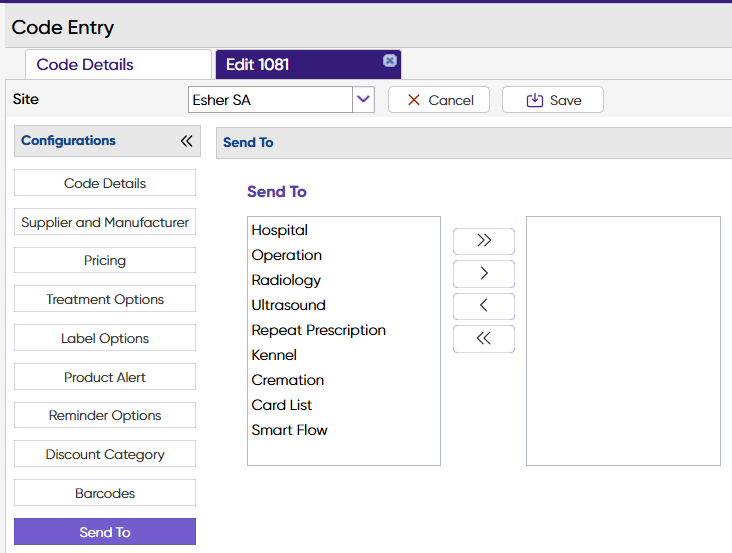
Code Entry - Send to Daylist
Codes in Code Entry can be configured to prompt the user to send items to a Daylist when the item is dispensed through the Treatment screen.
This can be set-up in (Administration > Code Entry > Code Maintenance > Edit Code > Send To).
Settings
For documentation on Daylist settings see the Daylist Settings page.